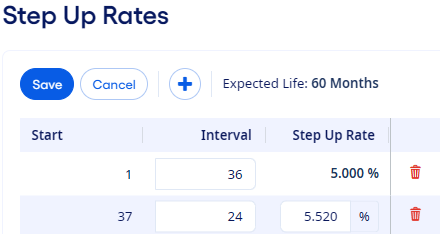
Setting Up Step Up Rates
You can set up step up rates for fixed-rate loans on the Pricing Opportunity page.
You can specify different rates for
different intervals over the life of a loan.
-
Select
 Add to define the initial interval.
-
Select Add to set up subsequent or final step up rates as needed.
Tip You can add multiple rows. Each new row appears at the end of the table.
-
Enter an Interval value for all rows and a
Step Up Rate value for all subsequent intervals
after the initial interval.
Note The sum of the Interval values must equal the instrument's Expected Life.
You can select
 Delete to remove a row.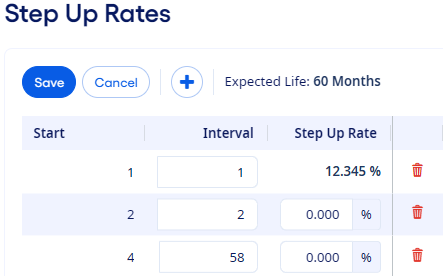
-
Enter an Interval value for all rows and a
Step Up Rate value for all subsequent intervals
after the initial interval.
Example: Starting in month one, the instrument's rate is 5.000 percent for a 36-month interval. Then, in month 37, the instrument's rate increases to 5.250 percent for the remaining life of the instrument.